A virtual classroom that feels simple.
Teachers and students join the BigBlueButton service your institution already uses, from one familiar app on every device.
Works with the learning tools you use
Tools made for teaching
Explain, discuss, and manage the class without switching between apps.
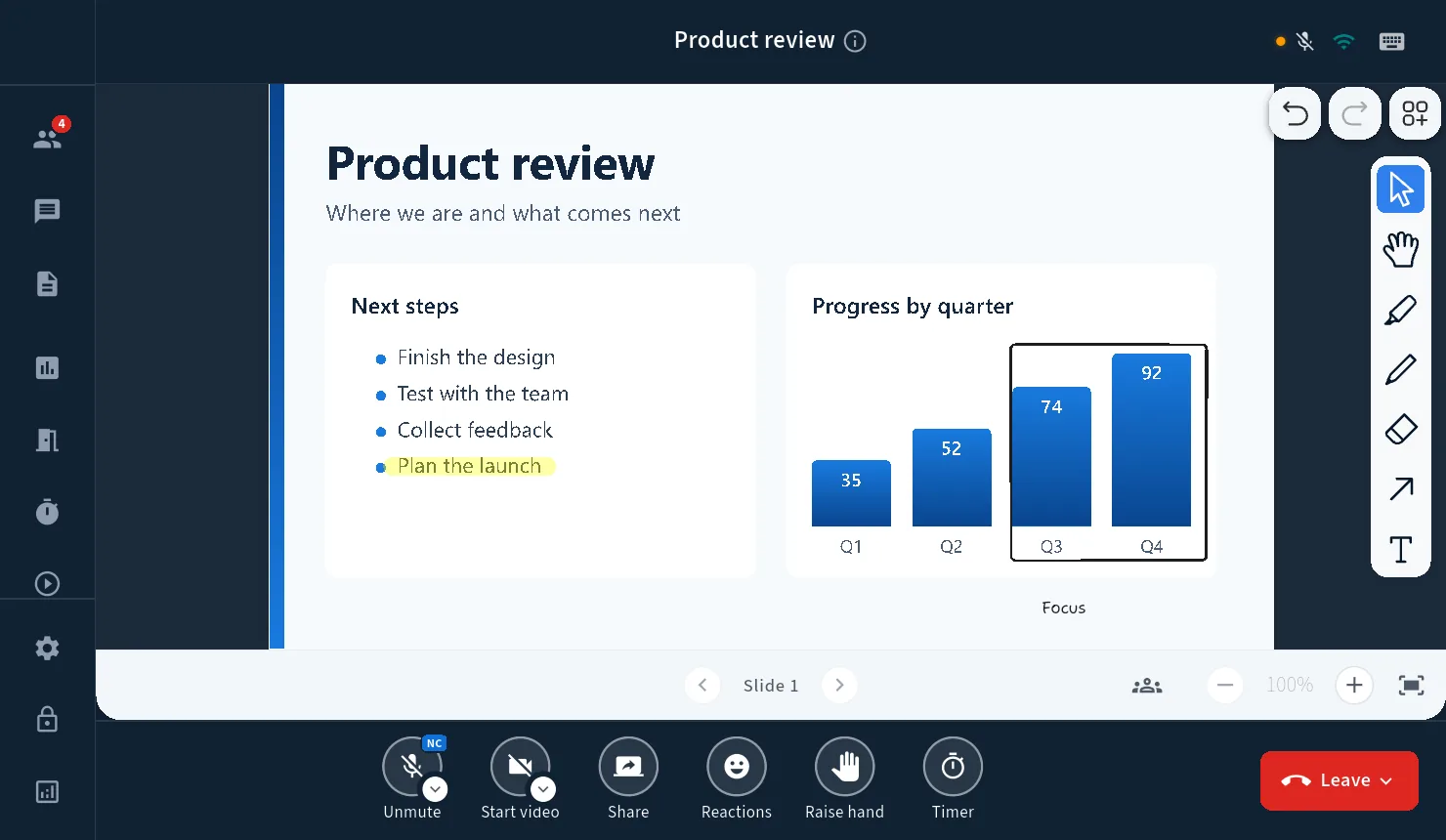
Whiteboard and slides
Write on slides, draw ideas, and let students work on the same canvas.
Breakout rooms
Split the class into groups, visit each room, and bring everyone back on time.
Polls and reactions
Ask a quick question, see the answers, and give every student an easy way to respond.
Simple class controls
Mute the room, manage cameras, and admit guests from the lobby.
From course page to live class
Keep the path into every lesson short and familiar.
Join from the course
Open the BigBlueButton meeting from your LMS or the link your institution provides.
Connect to campus servers
BBB One uses the BigBlueButton setup chosen by your institution.
Teach in the app
Use audio, video, slides, whiteboard, chat, and breakout rooms in one place.
Keep the class record
When recording is enabled, your BigBlueButton service keeps the lesson for later review.
Student data stays with your service
BBB One connects to your institution's BigBlueButton servers. Meetings, files, and recordings stay with the service your institution controls.
For teachers
- Choose devices before class starts
- Use whiteboard and slides together
- Manage microphones and room access
- Run group work with a timer
For IT and learning teams
- Connect to your existing BigBlueButton service
- Keep your current LMS workflow
- Deploy one app across campus devices
- Get support from a certified BigBlueButton provider
Sound familiar?
- The first ten minutes go to "can you hear me?"
- A student joins from a phone and sees half the screen.
- Someone closes the wrong tab and drops out of the lesson.
- Your students do not all work in the same language.
Questions teachers ask
Do students need an account?
No. They join from the link you send them.
Can students join from a phone?
The iPhone and Android apps are coming soon. Until then students can join from the desktop app or from their browser.
Can I record the lesson?
Yes, when your institution's server allows recording.
Does it work in Arabic?
Yes. The whole app reads right to left, not just the text.
Where is student data kept?
On the BigBlueButton servers your institution uses. The app does not move it anywhere else.
How much does it cost?
It depends on your size and your setup. Book a short call and we will give you a straight answer.
See it with your own class.
We will run a lesson on a real server and show you exactly what your teachers would see.